 16 min read
Twitter/X Keyword Alerts: How to Monitor Keywords and Mentions
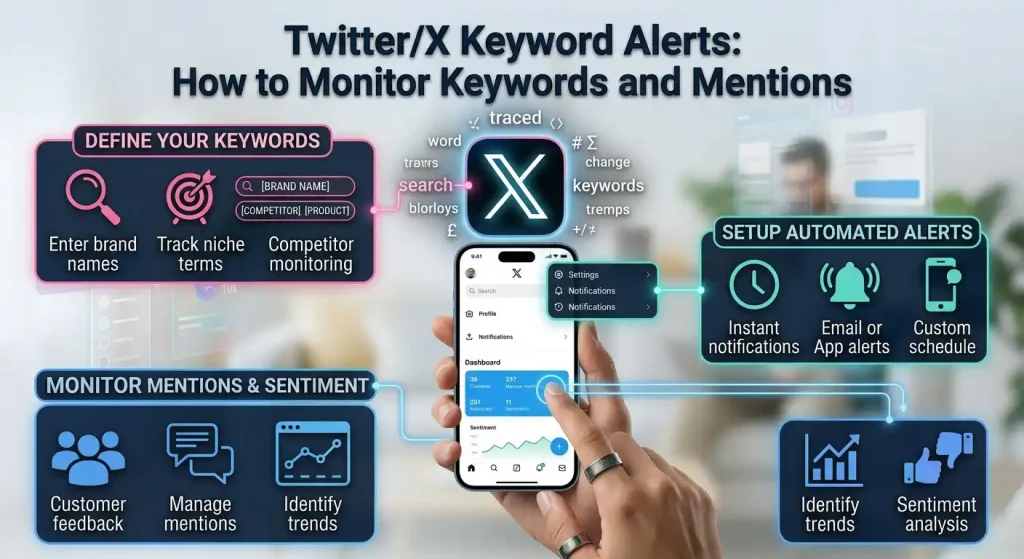
Twitter/X keyword alerts are used to monitor conversations containing specific words, phrases, hashtags, brand names, product names, or topics on X.
The idea is simple: instead of repeatedly searching X manually, you create a way to monitor a particular term and receive or review matching posts as they appear.
However, there is an important distinction between X’s own search and notification features and dedicated third-party monitoring services.
X provides advanced search tools that let you find posts containing specific words, phrases, hashtags, accounts, locations, and dates. X Pro also provides search columns that can update as new posts match a search and can support post alerts through sound or desktop notifications.
Third-party services can go further by collecting keyword matches and delivering them through email, Telegram, Slack, webhooks, or scheduled summaries.
So when someone searches for Twitter alerts for keywords, the first question should be:
Do you need to search for keyword matches, or do you need an automated alert whenever new matches appear?
Those are related but different workflows.
What Are Twitter/X Keyword Alerts?
A Twitter/X keyword alert is a notification or monitoring workflow based on a specific term or search query.
For example, a business could monitor:
- Its brand name
- Product names
- Common product misspellings
- Competitor names
- Industry terms
- Campaign names
- Hashtags
- Specific phrases
- Customer questions
- Breaking topics
Suppose a company sells project-management software and wants to monitor the phrase:
project management software
A keyword-monitoring system can look for new public X posts containing that phrase.
The system might then:
- Find matching posts.
- Identify new matches.
- Filter or group the results.
- Send an alert or digest.
- Let the user open the original post.
The exact workflow depends on the service.
Can You Set Up Keyword Alerts Directly on X?
Yes, but the answer depends on what you mean by an “alert.”
X provides search and filtering tools for finding posts that contain particular words and phrases. Its Advanced Search can filter by words, exact phrases, hashtags, accounts, locations, and dates.
X Pro goes further.
X’s documentation says its search columns can be filtered by keyword, date, language, users, engagement, and other criteria. It also documents Alerts for post alerts through sound or desktop notifications.
That makes X Pro particularly relevant if your goal is to keep a live monitoring column open.
However, this should not be confused with a universal consumer setting that simply says:
“Notify me every time anybody on X uses this word.”
The exact alert behavior depends on the X feature and account access you are using.
For broader automated monitoring, third-party services may provide a more specialized workflow.
X Search vs X Keyword Alerts
Search and alerts solve different problems.
X Search
You actively look for posts.
For example, you search:
"new gaming laptop"
X returns matching results.
You can refine the search using X’s Advanced Search features, including exact phrases, accounts, dates, and other criteria.
Keyword alerts
The monitoring system watches for new matching posts and delivers information to you.
The difference can be summarized as:
| Method | Main action |
|---|---|
| X Search | You search when you want information |
| Saved/repeated search workflow | You revisit the same query |
| X Pro search column | Keep a filtered search visible and updated |
| X Pro alerts | Receive supported alerts for matching activity |
| Third-party monitoring | Automated collection and delivery |
| Digest service | Collect matches and summarize them periodically |
If you only search for a keyword once or twice a week, normal X Search may be enough.
If you need continuous monitoring, an alert or monitoring system becomes more useful.
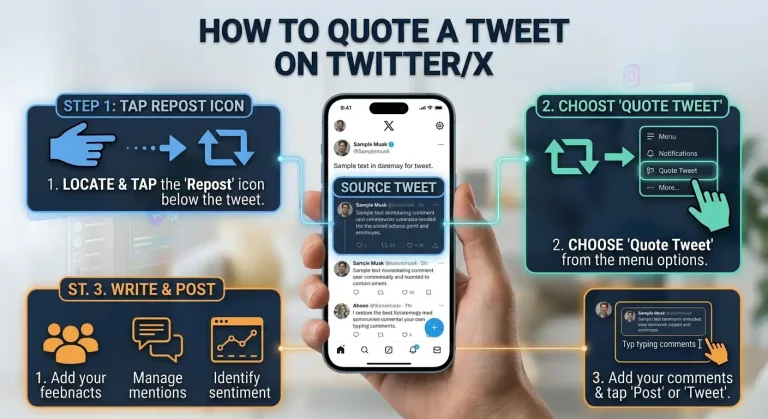
Keyword monitoring is only one part of using X. If you also want to interact with posts you discover, our guide explains how to quote a tweet on Twitter/X on desktop and mobile.
How X Advanced Search Helps With Keywords
X’s Advanced Search can be useful even if you do not use a third-party alert service.
It allows you to refine searches by:
- Words
- Exact phrases
- Any of several words
- Excluded words
- Hashtags
- Accounts
- Replies to accounts
- Mentions of accounts
- Locations
- Dates
- Languages
For example, instead of searching for:
iphone camera
you could refine the search around an exact phrase or combine it with an account, date range, or other criteria.
This can dramatically reduce irrelevant results.
Why search operators matter
A broad keyword can generate a large amount of noise.
Suppose you monitor:
Apple
That could match posts discussing:
- Apple products
- Apple the company
- Apple fruit
- Apple Music
- Apple TV
- Apple stores
- Completely unrelated conversations
A more specific search can make monitoring substantially more useful.
Ways to Monitor Keywords on Twitter/X
There are several approaches, depending on how much automation you need.
Option 1: Manual X Search
This is the simplest option.
Search your keyword whenever you want to check what people are saying.
Best for:
- Occasional research
- One-off investigations
- Finding older posts
- Checking a trending topic
- Researching competitors
The downside is that you have to remember to perform the search.
Option 2: X Advanced Search
Use Advanced Search when you need more control.
This is useful for:
- Exact phrases
- Specific accounts
- Date ranges
- Hashtags
- Excluded words
- Language filtering
It is particularly useful for research rather than continuous alerting.
Option 3: X Pro
X Pro is designed for users who want multiple real-time columns and monitoring workflows.
X says its search columns can be customized using keyword, date/time, media, language, users, engagement, and other filters. It also supports alerts through sound or desktop notifications.
This makes X Pro useful for people who want to monitor several searches simultaneously.
For example, you could maintain separate columns for:
- Brand name
- Product name
- Competitor
- Industry keyword
- Customer-support phrase
Instead of repeatedly performing the same search, the relevant columns remain available.
Using X Pro for Keyword Monitoring
A typical workflow looks like this:
- Open X Pro.
- Add a Search column.
- Enter your keyword or search query.
- Apply filters where appropriate.
- Keep the column available for monitoring.
- Configure supported alert options if you want notifications.
X Pro’s search system supports operators and filters such as exact terms, exclusions, dates, replies, media, and engagement thresholds.
For example, you could build a search around:
"your product name"
or a more targeted query that excludes irrelevant uses.
The exact search syntax should be tested against current X behavior because search functionality and operators can change.
Using Third-Party Twitter/X Keyword Alert Tools
Third-party services become useful when you want monitoring to happen outside the normal X interface.
They can provide workflows such as:
- Email alerts
- Telegram alerts
- Slack notifications
- Scheduled digests
- Webhooks
- APIs
- Keyword dashboards
- Historical analysis
- Sentiment or relevance analysis
The capabilities vary considerably.
Some tools are designed around individual alerts.
Others collect matching posts and send a summary.
That distinction matters because receiving one email for every matching post can quickly become overwhelming.
Xanguard: Real-Time Keyword Search Alerts
Xanguard is an example of a third-party service focused on keyword monitoring across X.
Its Search Alerts product says it monitors X Search for configured keyword queries and can deliver matching posts through Telegram, webhooks, and an API. It offers configurable checking intervals from 10 minutes to six hours.
This type of service is more appropriate when the goal is:
“Tell me when new matching posts appear.”
rather than:
“Give me a summary once per day.”
Its documented workflow includes keyword queries, polling intervals, duplicate detection, and programmatic delivery.
TwiGest: Keyword Monitoring With Digests
TwiGest takes a different approach.
Instead of focusing primarily on one alert for every matching post, it collects matching X posts and produces scheduled summaries.
Its current documentation says users can track words, phrases, and hashtags and receive scheduled AI-generated summaries. It supports delivery through email, with Telegram and Slack available on its Pro offering.
This can be useful when a keyword generates too many posts for individual notifications to be practical.
For example, monitoring:
AI
could generate far too many individual alerts.
A scheduled summary may be easier to manage.
Fedica: Keyword and Mention Monitoring
Fedica provides another example of a social listening approach.
Its Post Alerts feature is designed around monitoring brand mentions, product feedback, competitors, keywords, hashtags, and other topics on X. Fedica says its alerts can be delivered through email at selected frequencies.
Its broader X listening tools also support keyword and hashtag research and other analysis features.
The important point is not that one service is universally better.
It is that third-party tools can provide workflows beyond simply opening X Search.
Real-Time Twitter/X Keyword Monitoring
“Real-time” can mean different things.
Some systems check for new posts continuously or at short intervals.
Others collect posts periodically and notify you according to a schedule.
For example, a tool checking every 10 minutes is not literally receiving an instantaneous notification the millisecond a post appears.
Likewise, a daily digest is not real-time alerting.
Before selecting a monitoring service, check:
- How often it checks X
- How quickly alerts are delivered
- Whether alerts are per-post or summarized
- Whether duplicates are removed
- Whether searches cover the scope you need
- Which delivery channels are supported
This distinction is especially important for time-sensitive monitoring.
Twitter/X Keyword Alerts for Brands
Brand monitoring is one of the most practical uses for keyword alerts.
Instead of monitoring only your official @handle, consider terms such as:
- Brand name
- Product name
- Product model
- Common misspellings
- Product category
- Campaign slogan
- Support-related phrases
For example, a software company might monitor:
"Company Name"
"Company Name" review
"Company Name" problem
"Company Name" alternative
"Product Name"
The purpose is not to automatically respond to every mention.
It is to make potentially relevant conversations easier to discover.
Monitoring Competitors
Keyword monitoring can also be used for competitor research.
You might monitor:
- Competitor brand names
- Product names
- New product announcements
- Competitor campaign names
- Customer complaints
- Comparison phrases
For example:
"Competitor Name"
"Competitor Product"
"Competitor Product" alternative
The search query should be specific enough to reduce irrelevant results.
If the competitor’s name is also an ordinary word, exclusions may become particularly important.
Monitoring Topics and Industry Terms
Keyword alerts are not limited to companies.
You can monitor broader subjects such as:
- Artificial intelligence
- Cybersecurity
- Smartphones
- Gaming
- SEO
- Cloud computing
- New software releases
However, broad topics can produce enormous amounts of data.
The broader the keyword, the more important filtering becomes.
A niche phrase can often produce more useful alerts than a generic industry word.
How to Choose Keywords for Monitoring
Good keyword monitoring starts with good keyword selection.
Start with exact names
Monitor your exact:
- Brand
- Product
- Service
- Campaign
Add common variations
Consider:
- Abbreviations
- Alternative spellings
- Misspellings
- Product nicknames
Add problem phrases
If you are monitoring customer feedback, consider phrases such as:
"Product Name" broken
"Product Name" issue
"Product Name" problem
"Product Name" not working
These can surface conversations that do not directly mention an official support account.
Avoid overly broad terms
A keyword such as:
software
is likely to create enormous noise.
A phrase such as:
"your specific software product"
is more targeted.
Keyword Alerts vs Twitter/X Search
The difference can be summarized simply:
| Feature | X Search | Keyword Alert |
|---|---|---|
| Requires manual checking | Usually | No, when automated |
| Finds historical posts | Yes, depending on search | Depends on service |
| Watches for new posts | Can with monitoring workflows | Yes |
| Push/email delivery | Not the core purpose of Search | Common |
| Digest summaries | Not the core Search function | Some tools provide them |
| Advanced filtering | Yes | Depends on tool |
| Multiple delivery channels | Limited | Depends on tool |
| Best for | Research | Ongoing monitoring |
Search is about finding.
Alerts are about being notified.
Monitoring is the broader process of continuously watching for relevant information.
Twitter Alerts Keywords: How Many Should You Track?
There is no universal ideal number.
The right number depends on the purpose of your monitoring.
A small brand might start with:
- Brand name
- Product name
- Product problem phrase
- Main competitor
A larger monitoring project might require dozens of terms.
However, adding more keywords is not automatically better.
Every additional term can increase:
- Noise
- Duplicate results
- Irrelevant posts
- Review time
- Alert volume
Start with the terms that matter most and expand the list when you identify gaps.
How to Reduce Keyword Alert Noise
A good monitoring system needs filtering.
Useful techniques include:
Exact phrases
Use quotation marks where supported when you need a specific phrase.
Exclusions
Remove terms that repeatedly produce irrelevant results.
Account filters
If the monitoring system supports account filtering, restrict results to relevant accounts.
Language filters
Useful when a keyword has different meanings across languages.
Date filters
Useful for research and historical analysis.
Engagement filters
Useful when you care about posts that receive a certain level of interaction.
X’s Advanced Search and X Pro both provide several filtering options that can help narrow results.
Common Problems With Twitter/X Keyword Monitoring
Too many alerts
Your keyword is probably too broad, or the monitoring system is sending one alert for every match.
Try:
- More specific phrases
- Exclusions
- Account filters
- Digest delivery
Missing relevant posts
Your query may be too narrow.
Try adding:
- Alternative spellings
- Hashtags
- Product abbreviations
- Related phrases
Duplicate alerts
Some services may detect the same post through multiple searches.
Look for deduplication features when choosing a monitoring service.
Alerts arrive late
Check how frequently the service scans X.
A daily digest cannot provide the same immediacy as a short-interval monitoring system.
Search results do not include everything
X itself says search results can be filtered for quality and other reasons, so search should not automatically be assumed to represent every public post containing a term.
This matters when interpreting monitoring results.
Can Twitter/X Keyword Alerts Monitor Mentions Without @Tags?
It depends on the monitoring method.
A basic account notification is usually centered around direct account interactions such as mentions.
Keyword monitoring is different because it searches for the actual words or phrases.
A brand could therefore monitor its name as a keyword rather than relying exclusively on posts that use its @handle.
Third-party services such as Fedica explicitly position their Post Alerts around brand mentions and keyword notifications.
This can be useful because people often discuss a company without tagging its official account.
Are Twitter/X Keyword Alerts Free?
It depends on the method.
X Search
X’s search functionality is available through X and does not require buying a separate keyword-monitoring service. Advanced Search is available when logged in.
X Pro
X Pro is a separate advanced interface with its own access requirements and features.
Third-party services
Pricing varies substantially.
Some services offer free previews or limited functionality, while others charge for keyword volume, alert frequency, historical data, or delivery channels.
For example, current third-party offerings differ significantly: Xanguard documents a paid Search Alerts plan based on query volume, while TwiGest offers scheduled keyword summaries with different plan levels, and Fedica provides keyword/Post Alerts through its paid offerings.
Because pricing and feature limits change, check the provider’s current pricing before choosing a service.
Which Twitter/X Keyword Alert Method Should You Use?
The right method depends on the job.
For occasional research
Use X Search or Advanced Search.
You do not need continuous monitoring if you only check a topic occasionally.
For several live searches
Consider X Pro.
Its column-based interface is designed for monitoring multiple searches and other X activity.
For immediate automated alerts
Consider a dedicated monitoring service that supports short checking intervals and direct notifications.
For daily or scheduled summaries
A digest service may be more practical than receiving one alert for every matching post.
For business-scale social listening
Look for tools that provide:
- Historical data
- Keyword monitoring
- Brand mentions
- Competitor tracking
- Analytics
- Multiple users
- Export options
- API access
- Custom delivery
The important thing is to match the tool to the workflow rather than selecting a service simply because it advertises “Twitter alerts.”
A Practical Twitter/X Keyword Monitoring Setup
For a small business or website, start simple.
Step 1: List the terms
Create a short list containing:
Brand name
Product name
Product variation
Common misspelling
Main problem phrase
Main competitor
Step 2: Test the searches
Run each term through X Search.
Check how much irrelevant content appears.
Step 3: Add filters
Use exact phrases, exclusions, account filters, dates, or other supported search operators.
Step 4: Decide how frequently you need information
Ask:
Do I need to know immediately, every few hours, or once per day?
Step 5: Choose the delivery method
Possible options include:
- X Pro
- Telegram
- Slack
- Webhook
- API
- Scheduled digest
Step 6: Review the results
After several days, remove keywords producing mostly noise and add variations that are missing useful conversations.
This makes the monitoring system progressively more useful.
Twitter/X Keyword Alerts for Different Use Cases
Brand reputation
Monitor:
- Brand
- Product
- Brand + problem
- Brand + review
- Brand + alternative
Customer support
Monitor:
- Product + broken
- Product + issue
- Product + not working
- Product + error
Competitor research
Monitor:
- Competitor
- Competitor product
- Competitor + alternative
- Competitor + comparison
Content research
Monitor:
- Industry topics
- Questions
- Emerging phrases
- Product categories
- Common problems
News monitoring
Monitor:
- Company announcements
- Product launches
- Industry events
- Relevant organizations
- Specific technical terms
The more time-sensitive the use case, the more important alert frequency becomes.
The Difference Between Monitoring and Alerts
These terms are often used interchangeably, but they describe slightly different things.
Monitoring is the ongoing process of watching for information.
Keyword alerts are the notifications generated when matching information is found.
Search is the method used to find information when you actively look for it.
Digest is a delivery format that groups information together for periodic review.
A useful system might combine all four:
Search → Monitor → Filter → Alert or Digest
Final Takeaway
Twitter/X keyword alerts are useful when you need to keep track of specific words, phrases, hashtags, brands, products, competitors, or topics without repeatedly performing the same search manually.
X itself provides strong search and filtering capabilities, including Advanced Search. X Pro adds persistent search columns and documented alert functionality for monitored columns.
For more specialized monitoring, third-party services can add features such as automated email alerts, Telegram delivery, scheduled AI summaries, webhooks, APIs, historical analysis, and other listening workflows. Xanguard, TwiGest, and Fedica are examples of different approaches rather than interchangeable products.
The most important decision is therefore not simply “Which Twitter keyword alert tool is best?”
It is:
Do you need manual search, a continuously updated monitoring view, immediate alerts, or a scheduled summary?
Once you answer that question, choosing the appropriate X feature or third-party monitoring workflow becomes much easier.
Related: once you find a post worth sharing, here is how to quote a Tweet on X with your own comment added.
People Also Search For:
Can I monitor a keyword without following the account that posts it?
Yes, keyword monitoring and account following are different concepts. X Search can find posts based on words or phrases, and X Pro can create search columns based on queries. Third-party monitoring services can also track keyword matches independently of whether you follow every account producing them.
Can I receive Twitter/X keyword alerts by email?
Yes, depending on the monitoring method. Third-party services can provide email-based keyword alerts or scheduled summaries. Fedica, for example, documents email Post Alerts for keyword and topic monitoring, while digest-oriented services such as TwiGest can deliver scheduled summaries by email.
What is the difference between a keyword alert and a mention alert?
A mention alert generally concerns activity directed at or mentioning a particular account. A keyword alert is based on a word, phrase, hashtag, or search query and can potentially find posts that do not directly tag the account.
Are X keyword alerts truly real-time?
Not always. The speed depends on the system. X Pro provides continuously updating search columns, while third-party services can use different polling or collection schedules. Some tools offer short intervals, while digest services intentionally deliver results on a schedule.