 19 min read
Nintendo Switch 2 Screen: Evidence, Ghosting, OLED and Display Issues
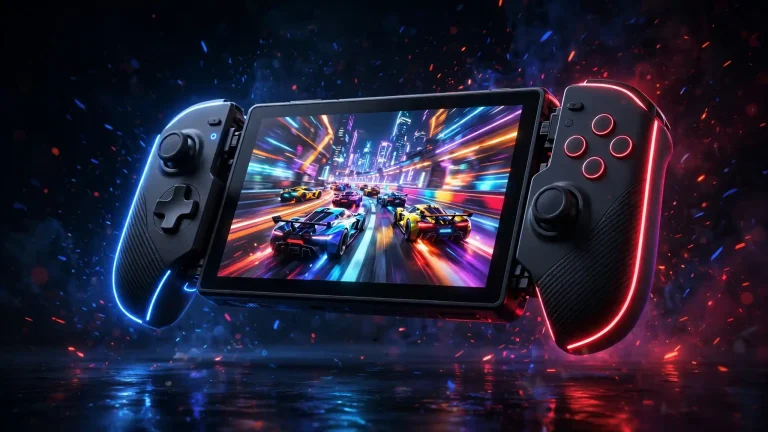
The Nintendo Switch 2 screen is one of the biggest hardware changes compared with the original Nintendo Switch.
Nintendo Switch 2 has a larger 7.9-inch display with 1920×1080 resolution, HDR10 support, and variable refresh rate of up to 120 Hz. However, the built-in panel is LCD rather than OLED.
That distinction has become particularly relevant because some Switch 2 owners have reported visible ghosting, smearing, or motion blur during handheld gaming.
At the same time, other owners report that they barely notice the effect or do not consider it a significant problem.
So what does the available evidence actually show?
The most accurate answer is more nuanced than saying either “the screen is defective” or “there is no ghosting.”
Nintendo’s official specifications establish the screen technology and supported features. User reports and community discussions provide evidence that some people notice motion-related artifacts. But those reports do not establish that every Switch 2 has the same experience or that every example represents a hardware defect.
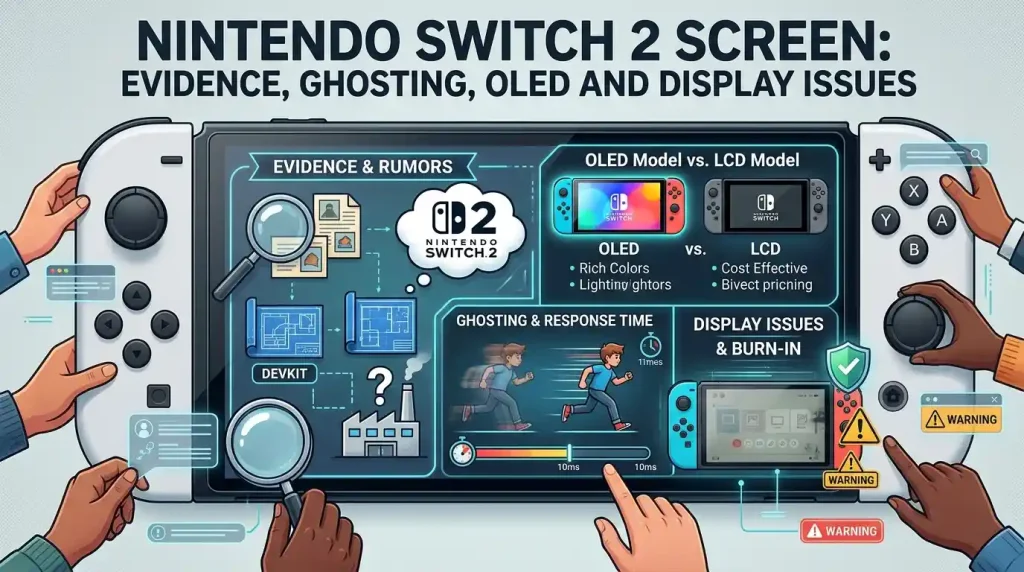
This guide examines the Nintendo Switch 2 screen evidence, explains ghosting and response time, looks at OLED comparisons, discusses screen protectors and updates, and explains what to check if your display appears unusually blurry.
Nintendo Switch 2 Screen Specifications
Nintendo lists the Switch 2’s built-in screen as:
- 7.9 inches
- LCD
- 1920 × 1080 resolution
- Wide color gamut
- HDR10 support
- VRR up to 120 Hz
- Capacitive touchscreen
The 7.9-inch display is substantially larger than the original Switch’s 6.2-inch LCD and the Switch OLED Model’s 7-inch OLED display.
The Switch 2 therefore combines a larger physical screen with a higher handheld resolution than the original Switch.
1920 × 1080 Resolution
The Switch 2 screen has a native resolution of 1920 × 1080.
That gives it considerably more pixels than the original Switch’s 1280 × 720 handheld display.
The higher resolution can make:
- Text sharper
- Interface elements clearer
- Fine details more visible
- Edges more defined
The difference is particularly noticeable in games and interfaces designed to take advantage of the higher resolution.
HDR10
Nintendo also specifies HDR10 support.
HDR can provide a wider range between darker and brighter parts of an image when the game and display pipeline support it.
HDR should not be confused with OLED.
An LCD panel can support HDR.
VRR Up to 120 Hz
The Switch 2 display supports variable refresh rates up to 120 Hz.
VRR allows the display’s refresh behavior to adapt to compatible game frame rates.
This can help reduce certain forms of visual unevenness when game performance fluctuates.
However, VRR and pixel response time are different things.
A display can have VRR while still exhibiting visible pixel-response limitations.
That distinction is important when discussing Switch 2 ghosting.
Is the Switch 2 Screen OLED?
No.
The built-in Nintendo Switch 2 display is an LCD, not an OLED panel.
Nintendo’s specifications explicitly identify it as a 7.9-inch LCD.
This is one of the most important facts to establish when researching searches such as:
- Switch 2 screen OLED
- Nintendo Switch 2 OLED
- Switch 2 OLED display
- Switch 2 screen vs OLED
The Switch 2 should not be confused with the original Nintendo Switch – OLED Model.
The two products use different display technologies.
Switch 2 LCD vs Switch OLED
The original Switch OLED Model uses an OLED display.
Switch 2 uses an LCD.
OLED can produce individually controlled pixels and very deep blacks, while LCD uses a backlight.
This creates differences in areas such as:
- Black levels
- Contrast
- Pixel response behavior
- Power characteristics
- Perceived motion clarity
- Display appearance
If you want a broader explanation of how OLED and IPS/LCD technologies differ, see our OLED vs IPS guide.
The important point here is that Switch 2’s LCD technology does not automatically mean the display is poor.
It simply means its strengths and weaknesses differ from an OLED panel.
Nintendo Switch 2 Screen Response Time
Response time describes how quickly display pixels can transition from one state to another.
It is not the same thing as refresh rate.
This distinction is important.
A display can refresh at 120 Hz but still have pixel transitions that are slower than ideal for certain motion patterns.
Refresh Rate vs Response Time
Consider a display running at 120 Hz.
The display can update the image very frequently.
But if individual pixels do not change state quickly enough, a previous image state can remain visible during the transition.
This can contribute to:
- Smearing
- Ghosting
- Motion trails
- Blurry-looking movement
Therefore:
120 Hz does not automatically mean fast pixel response.
Similarly, a 60 Hz display can have relatively good response behavior.
These are related but separate display characteristics.
Does Nintendo Publish a Switch 2 Response-Time Rating?
Nintendo’s consumer specifications identify the screen as a 7.9-inch 1080p LCD with HDR10 and VRR up to 120 Hz.
Nintendo does not present a consumer specification there that gives a conventional pixel response-time figure in milliseconds.
That means claims about a specific official response-time number should be treated cautiously unless they come from an actual measurement.
Nintendo Switch 2 Ghosting Explained
Ghosting occurs when remnants of a previous image appear to remain visible while objects move across the display.
Imagine a dark object moving across a bright background.
If the pixels do not transition quickly enough, the moving object can appear to leave a faint trail.
This can look like:
- A shadow behind moving objects
- Smearing during camera movement
- Trails behind text
- Blurred horizontal movement
- Faint duplicate images
Ghosting is particularly noticeable in scenes with high contrast.
Why Some People Notice It More Than Others
Display artifacts are not equally visible to everyone.
Several factors can change perception:
- Game type
- Contrast
- Camera movement
- Object speed
- Viewing distance
- Brightness
- Lighting
- Individual visual sensitivity
- Comparison with another display
A player moving directly from an OLED gaming monitor to a Switch 2 may notice LCD motion behavior more readily than someone who has primarily used conventional LCD displays.
Games Can Make Ghosting More Noticeable
Fast-moving games can reveal display limitations more easily.
For example, rapid side-scrolling movement can make trails easier to see than a relatively static game.
This explains why one person may report severe ghosting in a particular title while another person playing a slower game may barely notice anything.
The game itself can therefore influence the visibility of the effect.
Nintendo Switch 2 Ghosting: What Does the Evidence Show?
There is enough user discussion to establish that some Switch 2 owners report seeing ghosting or slow motion response.
Recent Reddit discussions include users describing noticeable smearing in particular games, especially fast-moving 2D or pixel-art titles.
Other users report the opposite experience.
Some say they cannot see meaningful ghosting at all, even after specifically looking for it.
That disagreement is important evidence in itself.
It indicates that the experience is not uniform across the user base.
Reports of Ghosting Are Not the Same as Proof of Defect
There are three different claims that should not be mixed together:
Claim 1: Some owners see ghosting.
There is substantial user discussion supporting this.
Claim 2: The Switch 2 LCD has measurable response-time characteristics that can contribute to motion artifacts.
This is a technical display-performance question that can be investigated through independent measurements.
Claim 3: Every Switch 2 has a defective screen.
The available evidence does not establish that.
A responsible article should therefore avoid presenting the third claim as fact.
Nintendo Switch 2 Screen Evidence Reddit
Reddit is particularly useful for understanding how owners perceive the Switch 2 display because users frequently post:
- Videos
- Photographs
- Comparisons
- Motion tests
- Game examples
- Personal observations
However, Reddit evidence has limitations.
A camera recording a display does not necessarily reproduce what the human eye sees.
Camera shutter speed, exposure, frame rate, autofocus, compression, and screen refresh behavior can all affect recorded footage.
Similarly, one person’s visual experience cannot automatically be generalized to every console.
What Reddit Discussions Show
Recent discussions show a mixture of experiences.
Some users describe:
- Strong ghosting
- Visible smearing
- Poor motion clarity
- Problems that are particularly obvious in 2D games
Others report:
- Little or no noticeable ghosting
- Acceptable motion clarity
- No meaningful problem during normal gameplay
Some owners also report that the issue is much more obvious after comparing the Switch 2 with an OLED display.
This is why Reddit is best treated as user evidence and experience, rather than as a controlled laboratory measurement.
Switch 2 Ghosting vs Game Motion Blur
Not every blurry image during movement is caused by the display.
A game can introduce its own motion blur.
The game engine may intentionally blur objects or the entire image during camera movement.
This can be difficult to distinguish from pixel-response ghosting.
Display Ghosting
Usually appears as a persistent trail or smear associated with pixel transitions.
Game Motion Blur
Is generated by the game itself as part of its visual rendering.
It can sometimes be disabled through the game’s graphics settings.
Why the Difference Matters
If you mistake game-generated motion blur for display ghosting, changing hardware will not necessarily solve the problem.
If the game allows motion blur to be disabled, try that first.
Then examine the same type of movement again.
This can help separate software-generated blur from display-response behavior.
Can a Software Update Fix Switch 2 Ghosting?
This is an area where it is important not to overpromise.
Nintendo can change system software and add display-related features or compatibility improvements through updates.
For example, Nintendo’s current documentation states that VRR support in TV Mode was added through a system update released on September 10, 2026.
That demonstrates that software updates can affect display-related functionality.
However, a software update cannot necessarily transform the physical pixel response characteristics of an LCD panel.
What Software Could Potentially Change?
Software can potentially affect:
- Refresh behavior
- VRR implementation
- Game compatibility
- Rendering behavior
- Image processing
- Display settings
- Firmware behavior
What Software Cannot Simply Do
A software update cannot magically turn the LCD into an OLED display.
Likewise, it should not be assumed that a firmware update can completely eliminate a physical characteristic of the panel.
If the underlying issue is primarily related to LCD pixel response, software may not completely remove it.
That is why it is safer to say:
An update may change display behavior or compatibility, but there is no basis for assuming that every form of Switch 2 ghosting can be fixed through software.
Switch 2 Screen Update: What Should You Check?
If your display seems unusually blurry, start with the software environment.
Check for System Updates
Make sure the console is running current system software.
This eliminates the possibility that you are testing against an outdated software implementation.
Check the Game
Test more than one game.
If the problem appears only in one title, investigate that game’s graphics settings and rendering behavior.
Disable Motion Blur if Available
Some games provide their own motion-blur settings.
If available, turn motion blur off and compare the result.
Compare Different Motion Types
Try:
- Horizontal scrolling
- Fast camera rotation
- Text scrolling
- High-contrast objects
- Dark objects against bright backgrounds
This can make the effect easier to identify.
Is Switch 2 Screen Ghosting a Defect?
There is no basis for treating every instance of visible ghosting as proof of a defective console.
A display can have measurable motion characteristics without being individually defective.
At the same time, unusually severe or abnormal display behavior should not automatically be dismissed.
The practical question is whether your particular unit is operating normally.
Signs That Deserve More Investigation
Consider getting the console checked if you notice additional symptoms such as:
- Persistent distortion
- Lines on the screen
- Flickering unrelated to game behavior
- Random color changes
- Areas that remain discolored
- Scrambled images
- Severe blur that occurs outside normal motion
- Problems visible even in static system menus
These symptoms are different from ordinary motion ghosting.
Nintendo also provides troubleshooting guidance for situations where the undocked Switch 2 screen appears scrambled, distorted, or blurry.
What to Check if Your Switch 2 Screen Looks Blurry
Before assuming the panel is defective, work through a simple checklist.
1. Check Whether the Blur Moves
If the blur only appears while objects are moving, you may be dealing with motion-related behavior.
2. Check a Static Image
Open the HOME Menu or another static screen.
If the image is sharp while stationary but becomes smeared during movement, the problem is likely related to motion rather than general screen clarity.
3. Test More Than One Game
Different games can produce dramatically different visual results.
4. Check Game Settings
Look for:
- Motion blur
- Graphics quality
- Performance modes
- Resolution options
5. Compare Bright and Dark Scenes
Ghosting can be easier to notice in high-contrast situations.
6. Update the Console
Install the latest available system software before making a hardware judgment.
7. Compare With Another Switch 2
If possible, compare the same game and scene on another console under similar conditions.
This is not a laboratory test, but it can help identify whether your experience is unusually different.
Nintendo Switch 2 Screen Replacement
A screen replacement is a much more serious step than changing settings or installing an update.
If the screen has physical damage or a confirmed hardware fault, repair may be appropriate.
But ghosting alone should not automatically lead to screen replacement.
Why Replacement Is Not a Simple Ghosting Fix
If the observed behavior comes from the characteristics of the LCD technology or its response behavior, replacing one panel with another panel of the same type may not eliminate the underlying characteristic.
Replacement makes more sense when there is an actual hardware fault or physical damage.
Examples include:
- Cracked display
- Damaged touchscreen
- Dead areas
- Persistent lines
- Severe discoloration
- Display failure
Warranty and Official Repair
Before opening the console or using an unofficial replacement screen, check the applicable warranty and repair options.
Opening modern handheld hardware can introduce additional risks and may complicate future service.
For a suspected hardware defect, professional diagnosis is preferable to assuming the display needs to be replaced.
Nintendo Switch 2 Screen Protector
The Switch 2 has a different screen size and physical design from earlier Switch models.
Nintendo specifically warns that screen protectors designed for:
- Original Nintendo Switch
- Nintendo Switch OLED Model
- Nintendo Switch Lite
do not fit the Switch 2.
Therefore, do not assume an older Switch screen protector will work simply because it looks similar.
Why the Correct Protector Matters
A poorly fitting protector can cause:
- Poor edge coverage
- Misalignment
- Touch problems
- Bubbles
- Dust intrusion
- Installation difficulty
Use a protector specifically identified as compatible with Nintendo Switch 2.
Does a Screen Protector Cause Ghosting?
A screen protector can affect the perceived appearance of a display in some situations, particularly if it introduces reflections, haze, or surface changes.
However, it should not automatically be blamed for the underlying LCD response behavior discussed in ghosting reports.
If you are troubleshooting motion clarity, compare the display under controlled conditions rather than assuming the protector is responsible.
Nintendo Switch 2 vs OLED Display
The Switch 2 and Switch OLED Model are not simply two versions of the same display.
They use different panel technologies.
| Feature | Nintendo Switch 2 | Nintendo Switch OLED Model |
|---|---|---|
| Panel | LCD | OLED |
| Screen size | 7.9 inches | 7.0 inches |
| Handheld resolution | 1920 × 1080 | 1280 × 720 |
| HDR | HDR10 support | OLED display |
| VRR | Up to 120 Hz | No equivalent Switch 2 VRR feature |
| Black levels | LCD characteristics | OLED-level blacks |
| Display technology | LCD | OLED |
The Switch 2’s screen offers important advantages, including higher resolution, HDR10 support, a larger panel, and VRR.
The OLED Model has the fundamental OLED advantages of its display technology, particularly very deep blacks and high perceived contrast.
Why OLED Owners May Notice Switch 2 Ghosting
Someone accustomed to an OLED display may be more sensitive to differences in motion behavior.
OLED panels generally have very fast pixel transitions.
If a player switches between an OLED phone, tablet, monitor, or handheld and the Switch 2 LCD, the difference can become more obvious.
That does not automatically mean the Switch 2 display is defective.
It means the comparison is being made between different display technologies.
For a deeper comparison of the two panel types, see our OLED vs IPS guide.
Nintendo Switch 2 Release Date
Nintendo Switch 2 officially launched on June 5, 2025.
That date is relevant when evaluating reports because the earliest owners had the hardware in their hands from launch day, while later reports can involve consoles manufactured or sold at different times.
However, the existence of different production batches does not by itself prove that later units have a different panel or improved response time.
Claims that newer consoles have completely solved ghosting should therefore be treated cautiously unless supported by controlled testing.
Do Newer Switch 2 Consoles Have Better Screens?
This question has appeared in recent owner discussions, including reports from people comparing launch units with newer purchases.
Some users claim they perceive differences in color temperature or motion clarity.
Others report no meaningful difference.
These reports are interesting but should not be treated as proof of a formal hardware revision.
A proper comparison would need controlled testing across:
- Same game
- Same scene
- Same brightness
- Same display settings
- Same viewing conditions
- Same motion pattern
- Same measurement method
Without that, it is difficult to determine whether a perceived difference comes from the panel, calibration, software, manufacturing variation, or simply viewing conditions.
Can Nintendo Switch 2 Screen Issues Be Fixed?
The answer depends on what “screen issue” means.
If It Is Game Motion Blur
Try the game’s graphics settings.
If It Is Normal LCD Motion Behavior
There may be no user setting that completely eliminates it.
If It Is Software-Related
A system or game update could potentially change the behavior.
If It Is Physical Damage
Repair or replacement may be appropriate.
If It Is an Abnormal Display Fault
Nintendo support or an authorized repair process is the safer route.
This distinction prevents a common mistake: treating every form of visual blur as the same problem.
A Simple Switch 2 Screen Test
You can perform a basic visual check without specialized equipment.
Test 1: Static Menu
Look at the HOME Menu.
Text and icons should appear stable when nothing is moving.
Test 2: Horizontal Movement
Use a game with fast horizontal movement.
Watch high-contrast objects carefully.
Test 3: Text Scrolling
If a game or menu contains scrolling text, observe whether characters appear to leave visible trails.
Test 4: Dark-on-Light Movement
Look for dark objects moving against bright backgrounds.
Test 5: Different Games
Repeat the test in several games.
Test 6: Compare Another Display
If possible, compare the same content with another LCD or OLED device.
The goal is not to produce a laboratory-grade measurement.
It is simply to determine whether what you are seeing is:
- General image quality
- Game-specific blur
- Motion-related ghosting
- Or a broader display fault
What the Evidence Does and Does Not Prove
The current evidence can be separated into three groups.
Official Evidence
Nintendo confirms:
- 7.9-inch LCD
- 1920 × 1080
- HDR10
- VRR up to 120 Hz
- Touchscreen functionality
Nintendo also provides specific support information for blurry, distorted, or scrambled screen behavior and confirms that older Switch screen protectors do not fit Switch 2.
Independent and Community Evidence
Users have reported varying levels of motion blur and ghosting.
Some find it highly visible.
Others barely notice it.
This is useful evidence about user experience but is not equivalent to a controlled laboratory measurement.
What Remains Unproven
The evidence does not justify saying that:
- Every Switch 2 has a defective display
- Every unit has identical ghosting
- A particular response-time number is an official Nintendo specification
- A future update will definitely eliminate ghosting
- Every newer production unit has a different or improved panel
Those claims require stronger evidence.
LCD Image Retention: What Switch 2 Owners Should Know
The quick answer: LCD screens like the Nintendo Switch 2’s can suffer from image retention — a faint “ghost” of a static image that lingers briefly after the picture changes. Unlike OLED burn-in, LCD image retention is almost always temporary and fades away on its own.
Image retention vs. burn-in — the key difference:
- OLED burn-in is permanent. It happens when organic pixels degrade unevenly after displaying the same bright static elements for hundreds of hours.
- LCD image retention is temporary. It’s caused by residual electrical charge in the liquid crystals, and it clears once the pixels cycle through other content.
This distinction matters for Switch 2 owners: long gaming sessions with static HUDs, health bars, or menus left on screen can leave a faint ghost image — but it is not permanent damage.
How to clear LCD image retention:
- Run varied full-screen content for 15–30 minutes — a video, a different game, or a solid-color slideshow forces every pixel to change.
- Lower your brightness during long static sessions; high brightness makes retention more noticeable.
- Don’t leave static screens on for hours. Use the Switch 2’s auto-sleep setting so menus don’t sit idle indefinitely.
If a ghost image persists after a day of normal varied use, that points to a panel defect rather than normal retention — and that’s a warranty conversation, not a settings fix.
We explain the difference in detail in our guide to image retention vs burn-in.
Key Takeaways
The Nintendo Switch 2 screen is a 7.9-inch 1920×1080 LCD with HDR10 and VRR support up to 120 Hz.
It is not OLED.
The display provides important upgrades over the original Switch, particularly its larger size and higher resolution.
At the same time, some owners have reported visible ghosting or smearing during motion.
Those reports should not simply be dismissed, but they also should not be turned into a blanket claim that the Switch 2 screen is defective.
The most useful way to evaluate the issue is to separate:
- LCD response behavior
- Game-generated motion blur
- Software behavior
- Individual perception
- Actual hardware faults
If your screen looks blurry, test multiple games, check motion-blur settings, update the console, examine static images, and compare the same content under similar conditions.
For screen protection, use a protector specifically designed for Switch 2 because Nintendo says protectors designed for earlier Switch models do not fit.
And if you are considering an OLED device, remember that the comparison involves two different display technologies rather than simply two versions of the same panel.
Frequently Ask Questions
Does Switch 2 have a 120 Hz screen even if a game runs at 60 fps?
Yes. The display supports VRR up to 120 Hz, but individual games determine their actual frame rate. A game running at 60 fps does not automatically become a 120 fps game because the display supports 120 Hz.
Can you replace the Switch 2 LCD with an OLED panel?
The existence of replacement parts does not mean an OLED conversion is a practical or officially supported upgrade. The Switch 2 was designed around its original LCD display, so an aftermarket OLED conversion should not be treated as a standard Nintendo-supported upgrade.
Does Switch 2 ghosting happen in every game?
No. User reports vary considerably, and the visibility of motion artifacts can depend on the game, movement, contrast, rendering effects, and individual perception. Some owners report obvious ghosting while others report little or none.
Does VRR eliminate Switch 2 ghosting?
Not necessarily. VRR and pixel response time address different aspects of display behavior. VRR can help synchronize refresh behavior with compatible frame rates, but it does not automatically eliminate pixel-response-related trails.
Can the Nintendo Switch 2 screen get burn-in?
Permanent burn-in is an OLED problem, and the Switch 2 uses an LCD panel — so no, not in the true burn-in sense. What it can show is temporary LCD image retention, which fades on its own once the screen displays varied content.
How do I fix image retention on an LCD screen?
Display moving, full-screen content for 15–30 minutes, lower the brightness, and avoid leaving static images on screen for hours. Normal image retention clears by itself; it doesn’t need any repair.